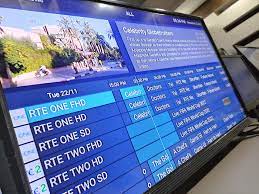
IPTV Smarters Pro is growing in popularity, and it is not hard to see why. It is an excellent way of accessing TV channels, movies, series, and other video content from anywhere in the world. However, to make the most out of IPTV Smarters Pro, you have to set it up correctly and know how to use all its features. This comprehensive guide will teach you everything you need to know about setting up and using IPTV Smarters Pro.
What is IPTV Smarters Pro?
Before setting up your IPTV Smarters Pro, it is essential to understand what it is. In layman’s terms, IPTV (Internet Protocol Television) is a way of streaming video content over the internet. It is an alternative to cable or satellite television. IPTV Smarters Pro is an app that makes it easy to stream IPTV channels on a variety of devices, including smartphones, smart TVs, and Amazon Firestick. The app is compatible with most IPTV services, making it the go-to app for accessing IPTV content.
IPTV Smarters Pro is a powerful IPTV application that is available for both iOS and Android devices. The application allows you to stream live TV channels, movies, and TV shows. It supports different types of playlists, including M3U, XSPF, and JSON. This application also offers advanced features, such as parental controls, multi-screen viewing, and EPG (Electronic Program Guide).
Installing IPTV Smarters Pro
Once you know what IPTV Smarters Pro is, it is time to install it. Thankfully, this process is straightforward. The first step is to download the app from the Google Play Store or the iOS App Store, depending on your device. Once it is installed, open it, and you will be prompted to enter a login username and password, which you will get from your IPTV provider. After filling in the login details, you will see a variety of options for customizing IPTV Smarters Pro to your liking.
Customizing IPTV Smarters Pro
There are many ways to customize your experience on IPTV Smarters Pro, including changing the app’s color scheme, creating multiple playlists, and viewing multiple channels at once. Customizing IPTV Smarters Pro to your liking will ensure that you have a better user experience when streaming your favorite channels. There are also options for sorting channels by favorites, recently watched, and more, making it easier to find what you want to watch.
Streaming Content on IPTV Smarters Pro
Now that IPTV Smarters Pro is installed and customized to your liking, it is time to start streaming content. The app boasts an interface that is easy to navigate, making it a breeze to find the channels or content you want to stream. Finding your favorite channel is as easy as scrolling through the app’s selection. To stream a particular channel, click on the channel, then click on “play.” You can also use the app’s search function to find specific shows or channels. Additionally, you can record shows, view program guides, and even pause live TV using the app.
Troubleshooting Issues on IPTV Smarters Pro
While IPTV Smarters Pro is easy to use, you may encounter some issues when using it. Luckily, most issues can be fixed with a few simple steps. The most common issues you may encounter include buffering, freezing, or problems with sound. In most cases, these issues can be resolved by lowering the video quality or clearing your app’s cache. Additionally, if the app is crashing, force-stopping and restarting it should fix the issue.
IPTV or Internet Protocol Television has made watching TV more accessible and enjoyable. However, the problem with most IPTV services is that they require some level of technical knowledge to set up and use. Fortunately, IPTV Smarters Pro is a user-friendly application that makes it easy to watch your favorite TV channels and movies online. This blog post will guide you through everything you need to know about setting up and using IPTV Smarters Pro.
How to install IPTV Smarters Pro on iOS and Android devices
Installing IPTV Smarters Pro on your iOS or Android device is easy. Follow these simple steps:
Step 1: Download and install the IPTV Smarters Pro app on your device.
Step 2: Launch the application and click on “Add New User.”
Step 3: Enter the required details, including your username, password, and server URL.
Step 4: Once you have entered your details, click on “Add User.”
Step 5: After adding your user, you will be directed to the homepage of the application, which contains your added playlists and channels.
How to use IPTV Smarters Pro to watch live TV channels and movies
To watch live TV channels and movies using IPTV Smarters Pro, follow these steps:
Step 1: Click on the playlist you want to watch from the home screen.
Step 2: Click on “Live TV” to watch live TV channels or “Movies” to watch movies.
Step 3: Choose the channel or movie you want to watch.
Step 4: Sit back, relax, and enjoy your favorite TV channels and movies.
How to use the advanced features of IPTV Smarters Pro
IPTV Smarters Pro offers some advanced features that make the application more enjoyable to use, like parental controls, multi-screen viewing, and EPG. Here is a quick guide on how to use these features:
Parental Controls:
Step 1: Go to the settings tab and click on “Parental Control.”
Step 2: Enter a username and password for the parental control login.
Step 3: Add the channels you want to block from children.
Multi-Screen Viewing:
Step 1: Click on the playlist and channel you want to watch.
Step 2: At the bottom right corner, click on the “Multi-Screen” icon.
Step 3: Choose the number of channels you want to view.
Step 4: Enjoy watching up to four channels simultaneously!
EPG (Electronic Program Guide):
Step 1: Click on the playlist and channel you want to watch.
Step 2: Swipe right to reveal the EPG.
Step 3: Choose the day and time you want to see the programming schedule for.
Step 4: Enjoy planning your TV watching experience.
Conclusion:
IPTV Smarters Pro is an excellent way to access IPTV channels and other content. With its easy-to-use interface and extensive customization options, you can create an experience that is tailored to your preferences. With the information provided in this comprehensive guide, you should be able to set up and use IPTV Smarters Pro with ease. So, why not give it a try today and experience everything it has to offer?
IPTV Smarters Pro is one of the best IPTV applications that you can use to watch live TV channels and movies online. With its user-friendly interface and advanced features, you can now watch your favorite programs whenever and wherever you want. By following this comprehensive guide, you are now ready to set up and use IPTV Smarters Pro like a pro!